 Miliflex
Open Miliflex
How to
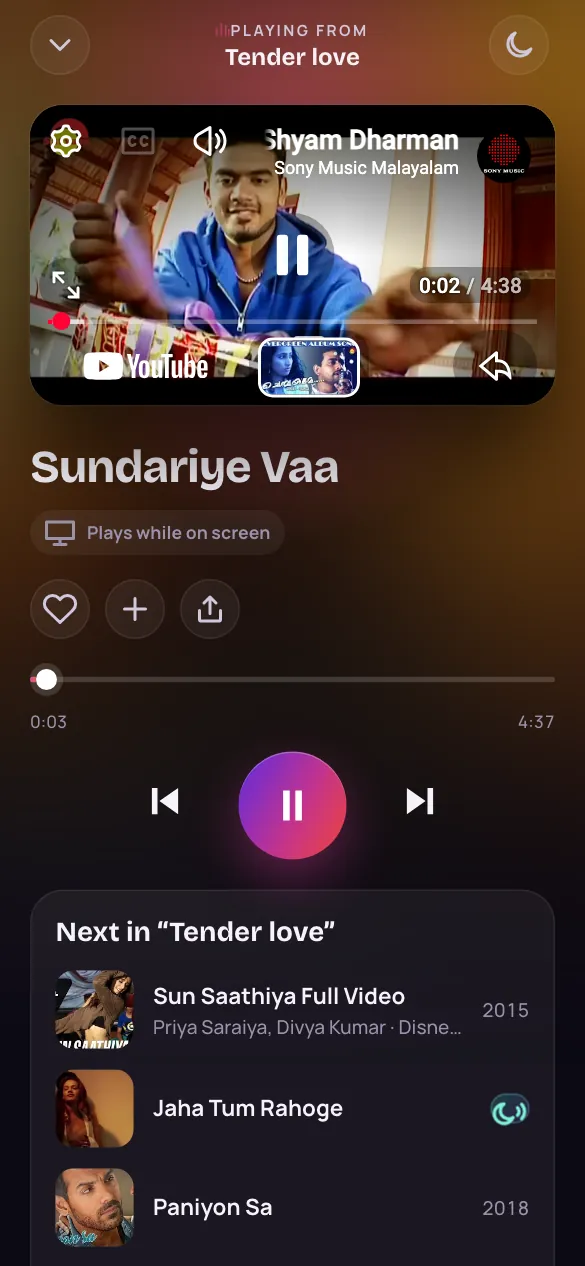
- Tap a song anywhere in the app to play it.
- Tap the bar at the bottom to open the player.
- Under the controls, see what plays next.
- Tap Other versions for its remix, LoFi or live versions.
Good to know
Can I play a whole list in order?
Yes. Open a list, a film or a playlist and tap the big play button: it plays in order, and Shuffle plays it in a random order.
What plays when a list ends?
Listen carries on, with songs chosen for you that sound like the ones you just enjoyed in the list. A song you play on its own, from a search, goes on with the songs that match it.
Why did a video not play?
Some videos can't be played outside YouTube. The player skips it and plays the next song.